
Hermes Agent: the practical guide (CLIs, skills, crons, kanban)
Mike Codeur
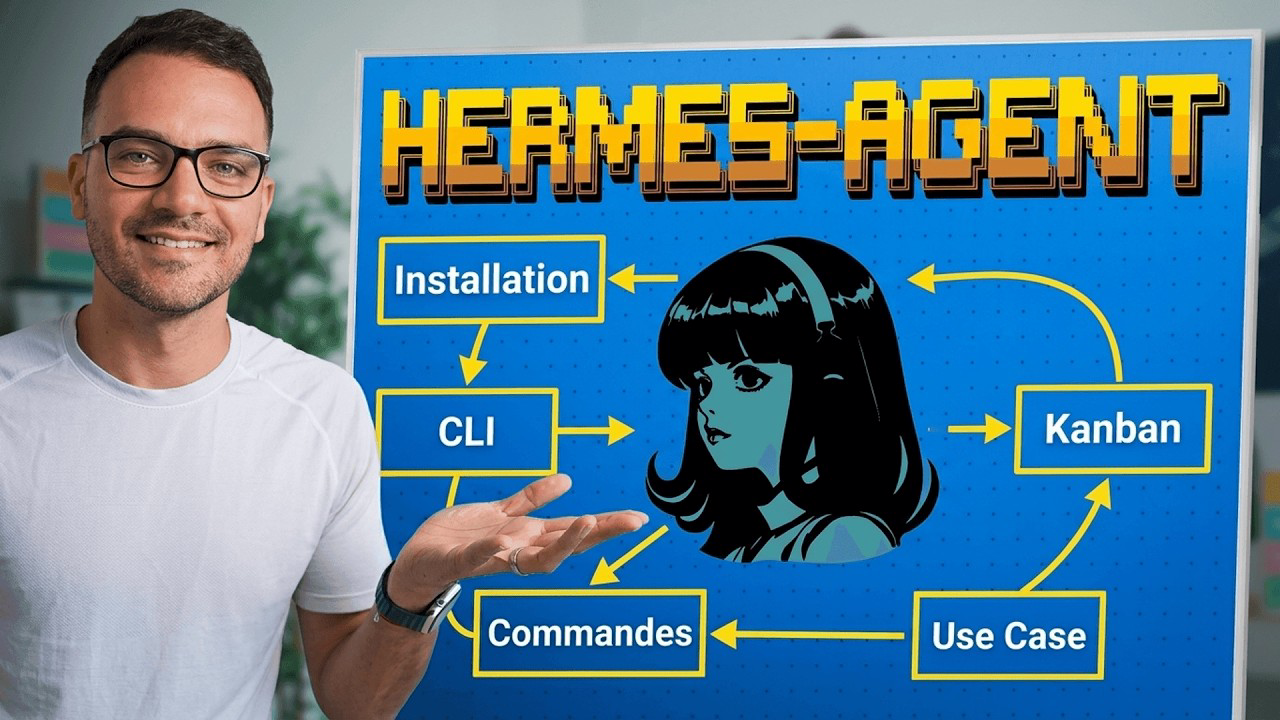
In the previous video, I installed Hermes on a VPS as root. A full hour of video. Dedicated user, sudoers, hardening — the technical part, in detail.
This one is different. This is the practical guide: how I actually use it, every day.
If you take away one thing from this article, make it the order of the layers:
VPS → CLIs → skills → board.
Skip the CLIs and everything above them wobbles. I'll come back to that.
Installation, the short version
I covered the root install on video. It takes over an hour if you want it properly configured and secured. If you want that level of detail, it's in this article.
But for my tests and my videos, I use the managed install. Two clicks.
The idea: take a VPS, go to the Docker application catalog, search for Hermes Agent, and you get a preconfigured instance. A KVM 2 is plenty to run this kind of agent.
Two things to note when you deploy:
- The username (
hermes) and the admin password. If you forget them, don't panic — they're in the project's environment variables. - Two ways in: the terminal right in your browser, or SSH as usual if you're a bit more of a geek.
Connect a model, or nothing happens
Until you have a model wired up, Hermes does nothing. It's the first thing to do on a new instance.
You get some starter credit with a default model, but it burns fast. I plug in my subscription.
hermes modelYou can run the command over SSH or go through the dashboard — both work. In my case I connect Codex CLI via OAuth, which lets me use my ChatGPT subscription instead of paying per call. You grab a code, paste it, and you're connected.
I stay on GPT-5.5 even though 5.6 is out, just to avoid burning through tokens.
⚠️ The important part about Claude. You cannot use your Claude subscription as a chatbot inside Hermes. You can go through the API, but it's expensive. The real answer is delegating to Claude Code — more on that below.
The three interfaces
There are three ways to reach Hermes, and they don't do the same job.
| Interface | Access | What it's for |
|---|---|---|
| TUI | SSH | The raw terminal. Austere, but everything works there |
| Dashboard | Port 80 | Chat, crons, skills, plugins, channels |
| Hermes Web UI | Port 8787 | Kanban, parallel tasks, sub-agents, logs |
The Web UI isn't installed by default. You can go through the catalog, or — what I did — just ask for it. I gave it the docs link and it installed itself.
Two traps, though:
- It installs it internally. You have to explicitly ask it to expose the service so you can reach it from outside. And it won't get it the first time — it'll tell you it's running, because from its point of view that's true. You need the internal-IP vs external-IP distinction in your head to know what to ask for.
- Two settings stay manual: open port 8787 in the Docker YAML editor, and add a firewall rule allowing TCP/UDP traffic on that port.
One last thing: not every command exists in all three environments. Worth knowing before you spend ten minutes hunting for a command that isn't available where you are.
The commands worth knowing
Start with /help. There's a big pile of them, and it's the command you should master.
The ones I actually use:
/personality— switch personalities. Technical, creative, teacher, pirate… you can define your own. A bit of fun, but genuinely nice./rollback— revert files. The equivalent of Claude Code's rewind./steer— correct without interrupting. It's analyzing logs, you slip in a second instruction, and it takes it on board without breaking the first. Really handy./learn— what you just did becomes a skill. Work through a project's architecture, hit/learn, and it keeps it./suggest— it tells you what to automate.
Alongside those you get everything session-related (new, clear, history, save, retry, undo, title, branches) and all the rest: kanban, memory, crons, skills, plugins, tools.
CLIs: your agent's hands
This is the part everyone skips. It's the most important one.
A CLI is a hand you hand your agent. Without hands, it tries to work around the problem — and it's not good at that.
The demo says it all. I ask two instances the same thing: "list the projects in my GitHub repo."
- Without the
ghCLI: it churns, tries HTTP, cobbles together scripts, and returns a completely off list that has nothing to do with what I asked. - With
gh: a few seconds, all my repos. And from there it can open pull requests, check recent reviews, deployments, commits, branches.
Same story with YouTube transcripts. Without yt-dlp it goes off on some improvised fetch and gets lost. With it, I say "get me the SRT" and it hands me the file.
The CLIs I've installed:
| CLI | What it unlocks |
|---|---|
gh | GitHub: repos, PRs, reviews, commits, branches |
yt-dlp | YouTube videos, audio, subtitles |
gcalcli | Calendar |
himalaya | Sending email |
jq, rg | Files and data — the foundation |
duckdb | An embedded database, in CLI form |
gws | Google Workspace: auth, domains, servers |
vercel, stripe, supabase | Deploys, payments, database |
ffmpeg | Video conversion |
claude, codex, opencode | Delegating to other agents |
uv | Python scripts |
On Google Workspace specifically: setting up auth, domains and servers by hand is extremely tedious. Agents are very good at it.
Skills are only effective if the right CLIs sit underneath. CLIs first, skills on top.
And one point that cuts against the grain: I use MCPs less and less, CLIs more and more. The reflex to build is looking for a SaaS with an API, then handing the API docs to the agent. No MCP needed.
Bonus if you're coming from OpenClaw: your skills import over, and they work almost immediately. That's how I brought across my Google Calendar skill, Gmail, my morning brief, my newsletters, my tech watch, my deep research.
My use cases
Use cases are your business. They're infinite — it depends on your activity and your creativity. Here are mine, to give you a sense of what this looks like in practice.
Crons
Three run daily on my setup:
- The morning brief. Weather, calendar, open tasks, important emails. Delivered by email and on Telegram.
- The tech watch. A top 3, the day's releases, sent to Telegram and WhatsApp and formatted by email. It even ends with a content recommendation I'm free to follow or ignore.
- The security audit. A skill that runs
pnpm audit, Trivy and Snyk, then goes all the way to pen testing. If something surfaces, I get alerted automatically. I don't have to think about it — it's proactive.
To create a cron: prompt it, or use the dashboard (date, prompt, reference skill, delivery channel, profile, model).
Email support — inbox zero
I use Front. The agent handles what comes in each day:
- Spam, archived on its own.
- Acknowledgements (people replying "got it, thanks" to the newsletter), answered on its own.
- Resource requests, where it drafts the email — but leaves it as a draft. Not sent.
- Collaborations, which it analyzes and scores out of 5. I look, and if I don't like it I leave a comment mentioning it: "delete" or "reply." It handles the rest.
It replaced an assistant's job. Before, everything went in the bin. My agent handles it better.
Building features with Claude Code
You can't use your Claude subscription as a chatbot in Hermes. But you can install the Claude Code CLI on the VPS and delegate development to it.
Anthropic was going to cut this off on June 15. They reversed course: it's 100% included in Pro and Max plans. So you can use your subscription fully, with the latest models.
My build-feature skill runs through:
- Prerequisites — check the repo isn't in a broken state
- Branch + worktree — development happens separately, which lets you run several features in parallel
- Implementation
- Verification — test, build
- Commit
- GitHub pull request (so once again: you need
gh) - Report, delivered straight to me
With one critical rule: never commit to main, master or dev. Always a separate branch.
I use it for well-bounded work. An identifiable bug on my SaaS, a label change, something I'm reasonably confident about. I let it work, I read the pull request, and if it checks out I merge — straight to production.
It's a little scary at first, letting an agent code, commit, push and open PRs. But if it's properly framed, if your skills are well written and you know your architecture, you can do more than 50% of the development this way. The rest — the genuinely hard stuff — you build locally with Claude Code. That's still the best way to develop.
Deep research
My favorite use case, by a wide margin.
Three sources wired in:
- Brave Search API for web search. The free tier is plenty to get going.
- Jina to read posts on X (otherwise you have to pay for the API). It works about half the time, but that beats nothing.
- Supadata for YouTube transcripts, with
yt-dlpas a fallback when it fails.
The skill's workflow:
- Framing — it reformulates my request and asks questions if it's vague
- Broad exploration with Brave — it keeps the 5 to 10 most relevant URLs
- Deep reading — pages, X posts, and any YouTube videos it finds: it reads the transcripts and interprets them
- Synthesis
Why it's my favorite: I've been creating content for over seven years. For years I collected the data by hand, stored it in my corner, and wrote my own summaries.
Now I can be on my phone, throw it an idea that just crossed my mind, and it compiles everything. Then it's on me to decide whether it's worth a piece of content. But I have the raw material.
Visuals
I don't sloppily prompt my diagrams from scratch each time. It all lives in skills, with templates, typeface and colors settled once and for all.
- Nano Banana — two themes, a layout catalog: fan out, kanban, horizontal timeline, interactive scene
- Excalidraw — generated and then shared straight to Supabase, so I can pull it back
- HTML slides — a defined theme, titles, subtitles, effects, and 20% of the width reserved on the right for the camera
It takes some thinking once. After that you reuse it and let your creativity run.
The content pipeline
This is where it all comes together. From a single source — the video — it produces:
- The thumbnail prompt for my thumbnail SaaS. It knows the video's topic and proposes angles. I can either call the SaaS API directly, or just take the prompts so I can edit them.
- The LinkedIn and X posts. It knows the format differs between X, LinkedIn and Bluesky, and adapts.
- The scheduling on Typefully, through their API.
- The blog articles, in French, English and Spanish. It knows my APIs, creates the article, adds the image, adds the video link.
- The short link
mkc.shwith UTMs, injected automatically into every post. - The content registry update — an internal process: every new piece of content updates the registry.
The short link is what makes the rest measurable. A concrete example: on one of my videos, 668 clicks. 458 from LinkedIn, 171 from X, and almost nothing on Bluesky. I never log into the tracking platform — it's automatic.
And to be clear: I don't write those posts, and I'm not ashamed to say it. It's content I created, that I worked on, that I researched. The AI condensing it into a post doesn't bother me.
The kanban: what survives the session
There's a limit to everything above.
A goal command, a background run, a plain prompt — all of it dies with the session. Your session has a lifespan, you're token-limited, and afterwards it's forgotten.
The kanban is saved. It persists even across restarts.
How it works:
- You create boards (content creation, video demo…)
- Inside them, tasks you can assign to more specific agents: a writer, a publisher, a designer
- You can prompt them, or create them by hand
That's where the real gain is: going from a sequential chain (short link, then LinkedIn post, then X post, then thumbnail prompt, then article) to something parallel. You hand over the source video, say "run all of this in parallel in a kanban," and it splits the work.
When to use what:
| Need | The tool |
|---|---|
| Automatic and recurring | Skills + crons |
| Long, parallel, and you want to come back and check progress | Kanban |
Recap
Four layers, in this order:
- A VPS — the agent runs 24/7, independent of your machine
- CLIs — the hands. Without them, everything else improvises
- Skills — your processes, written once
- A board — for whatever needs to survive the session
With just CLIs and skills you can already run your whole operation. The board is the floor above.
🎥 The full video (demos, screens, and the traps live): Hermes Agent — all the use cases & skills
📬 Every week I share my AI agent workflows in The Agentic Dev: subscribe
And if you want to understand how my agents share the same memory, it's over here.